
Machine Learning with Python in Excel Part 6: Partnering with AI
This is more than a prompt. It's how you make impact at work - fast.

This is the 5th in a growing library of AI prompts that accelerate your impact.
If you’re new to this tutorial series, check out Part 1 here.
While it’s tempting to want to feed your data to AI and trust that the output is correct, this is a bad idea for two reasons:
AI tools like ChatGPT, Claude, and Copilot often make mistakes in analytics. For example, they often make incorrect assumptions and never tell you about them.
You’re accountable for the quality of your analytics. No executive I’ve ever worked with will buy the argument, “Don’t blame me! It’s the AI’s fault.”
That being said, once you’ve developed fundamental skills in data analysis, you can partner with AI tools to accelerate the impact you can make at work.
Introducing Your AI Partner
Here are some screenshots of me partnering with ChatGPT to conduct a customer segmentation analysis as you learned throughout the tutorial series:
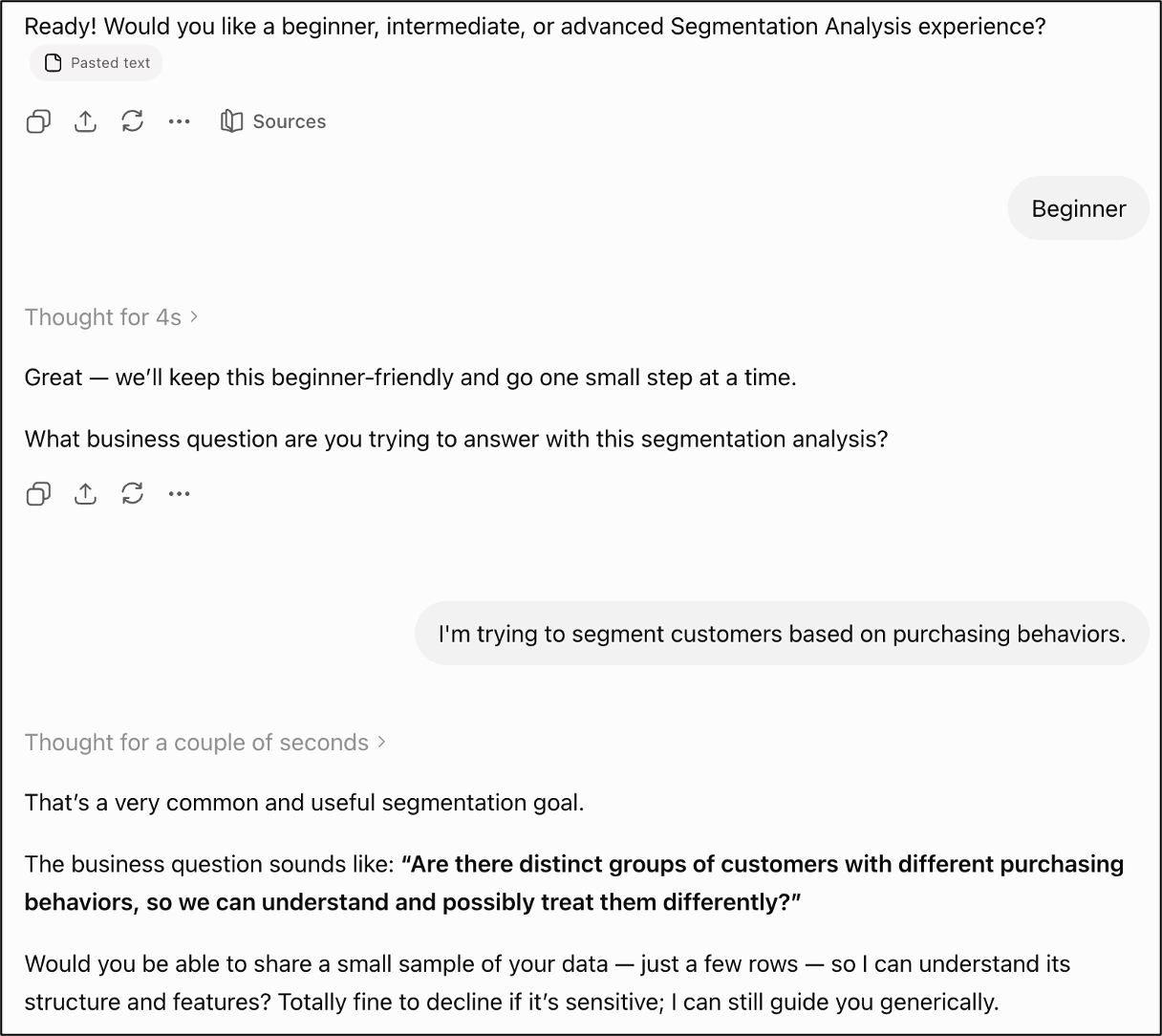
NOTE - Because of the random nature of AI tools like ChatGPT, your experience might not be 100% the same as what you will see in these images.
Also, the prompt is designed to work with LLM-based chat tools such as ChatGPT, Claude, and Copilot.
Partner with AI Step-by-Step
Because I selected “beginner” mode for the prompt, I received detailed step-by-step guidance in performing my segmentation analysis:
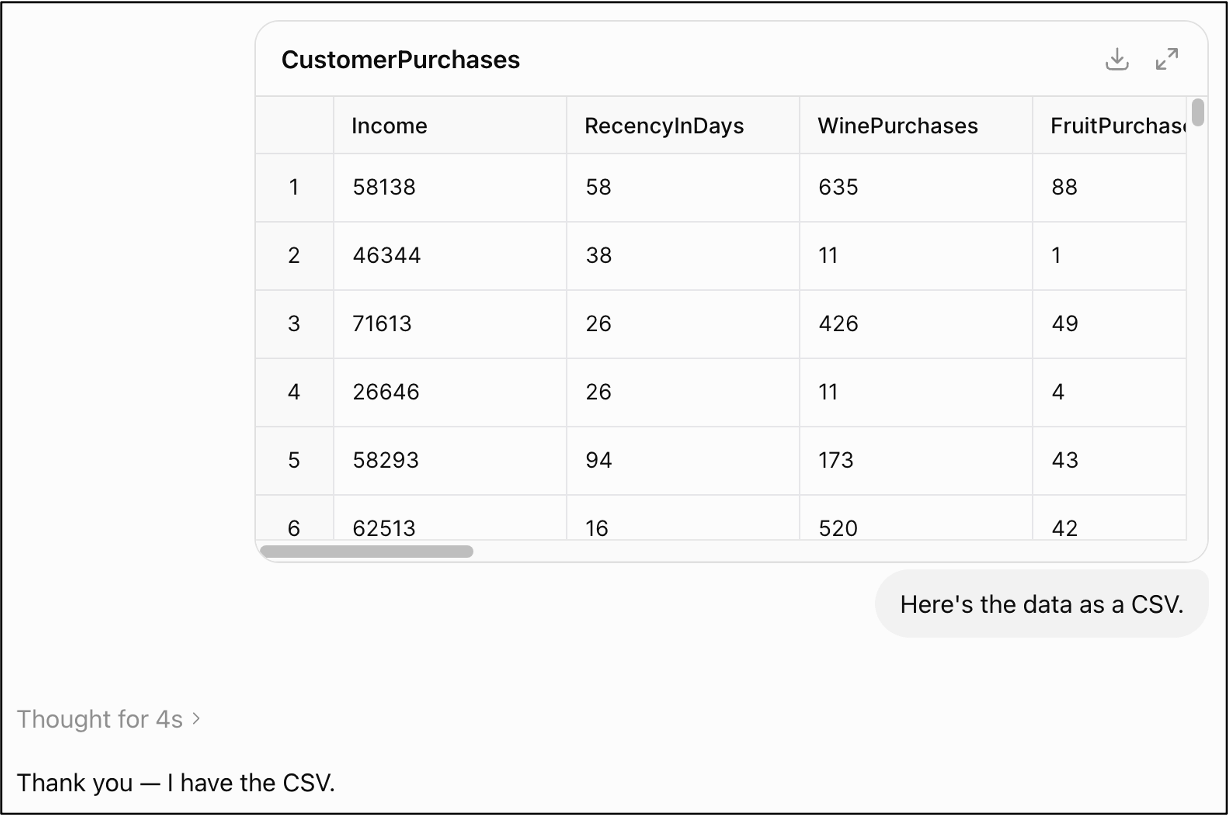
NOTE - While the screenshot above shows uploading data to the LLM, this is not required. The prompt allows you to describe your data instead so that you don’t violate any of your employer’s policies.
Also, while this example uses a customer purchase (i.e., behavior) dataset with ChatGPT, you can use the following prompt with ChatGPT, Claude, Copilot, etc., for any dataset from any industry.
It’s Python in Excel-Friendly
I’m a huge fan of Python in Excel because it is the easiest, fastest way for business professionals to have more impact at work using analytics.
So, the prompt is designed to help you perform cluster analyses if you’re using Python in Excel:
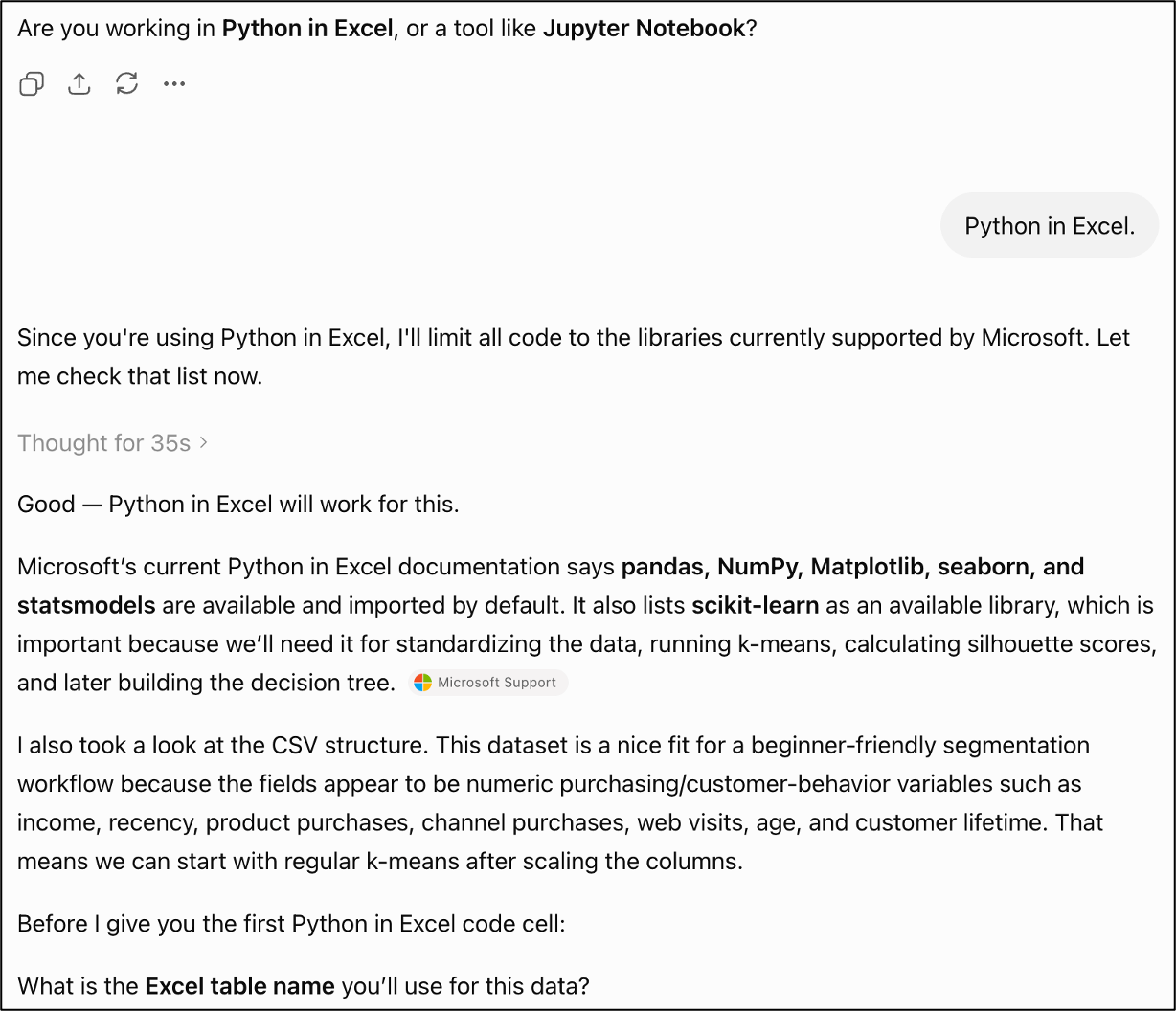
NOTE - Because 99+% of Python code is the same whether you use Excel, VS Code, or Jupyter Notebooks, the prompt will help you no matter what tool you use.
Are You New to All of This?
Most of my readers are new to machine learning techniques such as k-means clustering and decision trees.
That’s why I’ve spent hours building and delivering live crash courses for subscribers who are serious about building real-world analytics skills.
These live crash courses are designed for ANY professional - no advanced math required. Here’s an example:

Are you ready to get started?
Let’s start with tips for using the prompt.